

The Best AI Meeting Assistants in 2026
Why most AI meeting notes become useless “Dark Data” - and which AI meeting assistants actually create searchable organizational memory instead of administrative noise.
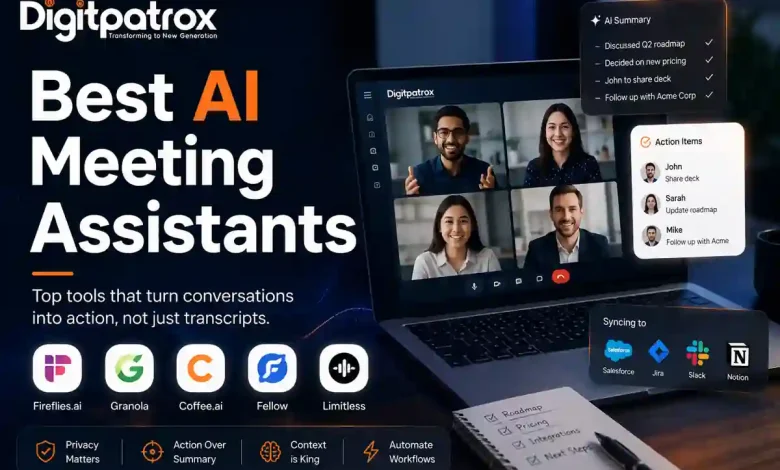
The Transcription Graveyard: The Best AI Meeting Assistants in 2026
After a few weeks of testing these tools across real meetings, one thing became obvious: most AI meeting assistants are very good at generating summaries and surprisingly bad at generating useful organizational memory.
In 2026, the market is increasingly shifting toward Headless AI Agents-meaning assistants that work through APIs or local audio capture instead of visibly joining meetings as participants. We are moving away from the “bot in the room” and toward systems that treat conversations as raw data for your company’s AI infrastructure stack.
The Executive Reality Check
-
Transcription is a commodity: If your workflow stops at transcription, you are paying for a shrinking part of the value chain.
-
Most AI notes are never read: Operationally, most summaries end up unread in an inbox. We call this the Transcription Graveyard.
-
The “Bot in the Room” is a social liability: Many teams now actively avoid visible meeting bots because they kill candid conversation.
-
Action over Summary: For larger organizations, the difference is financial. Once meeting data becomes searchable operational memory instead of static notes, teams spend less time reconstructing decisions across Slack threads and Jira tickets.
The “Zero-Click” Answer
In 2026, the best AI meeting assistant is headless. For deep workflow orchestration, Fireflies.ai is the standard. If you are a sales team needing autonomous CRM logging, Coffee.ai is the specialized leader. For founders who want bot-free, local-first control, Granola is the operator’s choice. For enterprises requiring deep search across meeting history, Fellow offers native MCP support.
What Makes a Good AI Meeting Assistant?
If you are new to this space, don’t get distracted by “accuracy percentages.” Most tools use the same underlying models (like Whisper or Deepgram) and get 95%+ accuracy. Instead, look for these four markers:
-
Diarization: Can it actually tell the difference between two people with similar voices?
-
Action Item Extraction: Can it distinguish between a “suggestion” and a “commitment”?
-
Integration Depth: Does it just send an email, or can it update your CRM and project management tools natively?
-
Local Processing: Does it offer a way to process audio on your machine to protect PII (Personally Identifiable Information)?
The 3 Layers of Modern Meeting AI
To choose the right tool, you have to understand where the value actually sits.
| Layer | Purpose | Operational Result |
| 1. Transcription | Converts speech to text | A raw document for the “Graveyard.” |
| 2. Context | Injects CRM & project memory | Notes that actually understand who is being discussed. |
| 3. Action | Executes workflows via AI agents | Automatic Jira tickets and CRM updates. |
How we evaluated and tested AI meeting assistants
We tested these tools over several weeks across technical standups, sales discovery calls, and noisy coffee shop recordings. We weren’t looking for the tool with the prettiest summary; we were looking for the one that reduced the “work about work.”
One recurring issue during testing was that sales-focused tools performed well in structured discovery calls but struggled badly during fast-moving technical meetings with overlapping speakers.
The 2026 Best-of Matrix at a Glance
| Tool | Best For | Privacy | MCP Support | Price (Starts) |
| Fireflies.ai | Workflow Automation | Cloud | Partial | $19/mo |
| Granola | Founders & Leaders | Local-first | No | $14/mo |
| Coffee.ai | Sales Teams | Cloud | Emerging | $29/mo |
| Fellow | Enterprise Search | Enterprise | Native | Custom |
| Limitless | Personal Memory | Local-first | No | $20/mo |
| Zoom AI | Native Meetings | Vendor | No | Free (Basic) |
1. Best AI Meeting Assistant for Workflow Automation
Fireflies.ai
If your goal is to get data routed into 40 different apps without a human typing, Fireflies is the veteran leader. It excels at identifying tasks and pushing them to Asana, Trello, or Jira.
-
Operational Strength: It supports custom vocabularies, meaning you can train it on your company’s specific acronyms so it stops mishearing internal project names.
-
The Catch: It relies heavily on a visible “bot in the room.” If your clients are sensitive to being recorded by a third party, the optics can create friction.
2. Best for Founders and Operators
Granola
Most teams I talk to now prefer Granola because it is invisible. It’s an AI note taker that lives on your Mac and “listens” to the meeting audio without joining as a calendar guest.
-
The “Human-in-the-Loop” Model: You take rough notes during the call, and Granola uses the transcript to flesh out your shorthand into professional documentation.
-
Privacy: It uses a local-first hybrid model. It’s the closest thing to having a local RAG system for your personal meetings.
3. Best for Sales Teams and CRM Sync
Coffee.ai
Coffee.ai has built a highly specialized moat around sales methodologies. It is an active AI sales agent that automatically structures notes using frameworks like BANT and MEDDIC.
-
Autonomous Sync: It creates contacts and logs activities directly inside Salesforce or HubSpot.
-
The Catch: It is heavily optimized for revenue teams. If you use it for an engineering sync, the sales-based structuring feels completely out of place.
4. Best for Enterprise Search and Memory
Fellow
Fellow is currently the only major player with a native, Anthropic-verified Model Context Protocol (MCP) server, which effectively turns meeting history into queryable infrastructure for external AI agents.
-
Agentic Search: You can use external agents like Claude or Cursor to query your entire meeting history via semantic search without switching tabs.
-
The Moat: It prevents the “Transcription Graveyard” by making your meeting data easily retrievable by other AI agent architectures.
Where Meeting AI Actually Failed (A Real-World Scar)
During one test call, two engineers were discussing a Kubernetes rollback while joking sarcastically about “burning production down.” The AI assistant logged the joke as a critical infrastructure risk and pushed it into a shared Jira P1 queue.
That’s the real problem with meeting AI in 2026: transcription accuracy is high, but operational interpretation is still fragile.
The “Transcription Graveyard” Problem
Generating a summary is easy. Making that summary useful 30 days later is the actual engineering challenge. In many teams, 90% of AI summaries are generated and never read again.
To avoid this, you need to isolate Context Injection from Extraction. In practice, this means the AI should know who the customer is before the meeting starts-not guess based on a transcript afterward. If your tool doesn’t sync with your internal vector databases before the call, it leads to “Dark Data” – text that exists but has no operational value. Interestingly, the tools that produced the most polished summaries were not always the ones teams actually reopened later.
Who Should NOT Use AI Meeting Assistants?
Despite the hype, these tools aren’t for everyone:
-
Highly Regulated Teams: If you handle conversations with strict legal privilege or HIPAA data without a dedicated private instance, the risk is too high.
-
Teams Without Consent Policies: If your company hasn’t established clear two-party consent rules, “invisible” recording is a legal landmine.
-
Small Teams That Never Revisit Notes: If you already communicate well and don’t have a knowledge management system, an AI assistant is just another $20/month subscription you won’t use.
The Pre-Rollout Checklist
Instead of turning an AI assistant on for the whole company on a Monday morning, stage your deployment through these four operational checks to prevent data leaks and friction:
The Legal & Optics Audit
Ask your legal team if they allow visible third-party recording bots. Enterprise deployments should also verify data residency, retention policies, and SOC 2 / GDPR compliance requirements before rollout. If cloud processing is a no-go, limit your search to Granola, Limitless, or native API tools.
The Endpoint Mapping
Do you need notes routed into Notion, Slack, or a CRM? Pick the tool that integrates natively with your existing automation stack (e.g., Zapier vs. Make vs. n8n) so humans don’t have to manually copy and paste.
The PII Redaction Rule
Ensure your tool is configured to redact sensitive info (like passwords and PII) locally before the data ever hits a cloud LLM for processing.
The Hallucination Stress Test
Take one highly technical transcript and ask the AI a specific, nuanced question about the call. If it fails or hallucinates an answer, your chunking strategy is likely the culprit and needs to be adjusted.
FAQ: Blunt Answers for Tired Operators
Is Otter.ai still the best?
Only for basic transcription. For business workflows, it lacks the deep AI agent memory required to handle complex technical tasks in 2026.
Does AI note-taking actually save time?
Only if you automate the downstream work. If you spend 10 minutes editing an AI summary, the net productivity gain is zero.
What is the “Context Dilution” risk?
If you dump every meeting transcript into a single large context window, the AI gets overwhelmed. Use RAG to fetch only relevant history.
The Bottom Line
The future of meeting AI is not better summaries. It’s systems that can reliably convert conversations into structured organizational memory without flooding companies with hallucinated noise. The tools that solve that problem will become infrastructure. The rest will compete as low-margin transcription utilities.